Overview
Validations
Custom validation rules on fields, forms, and application flows.
Main Column Metadata (Validation tab)
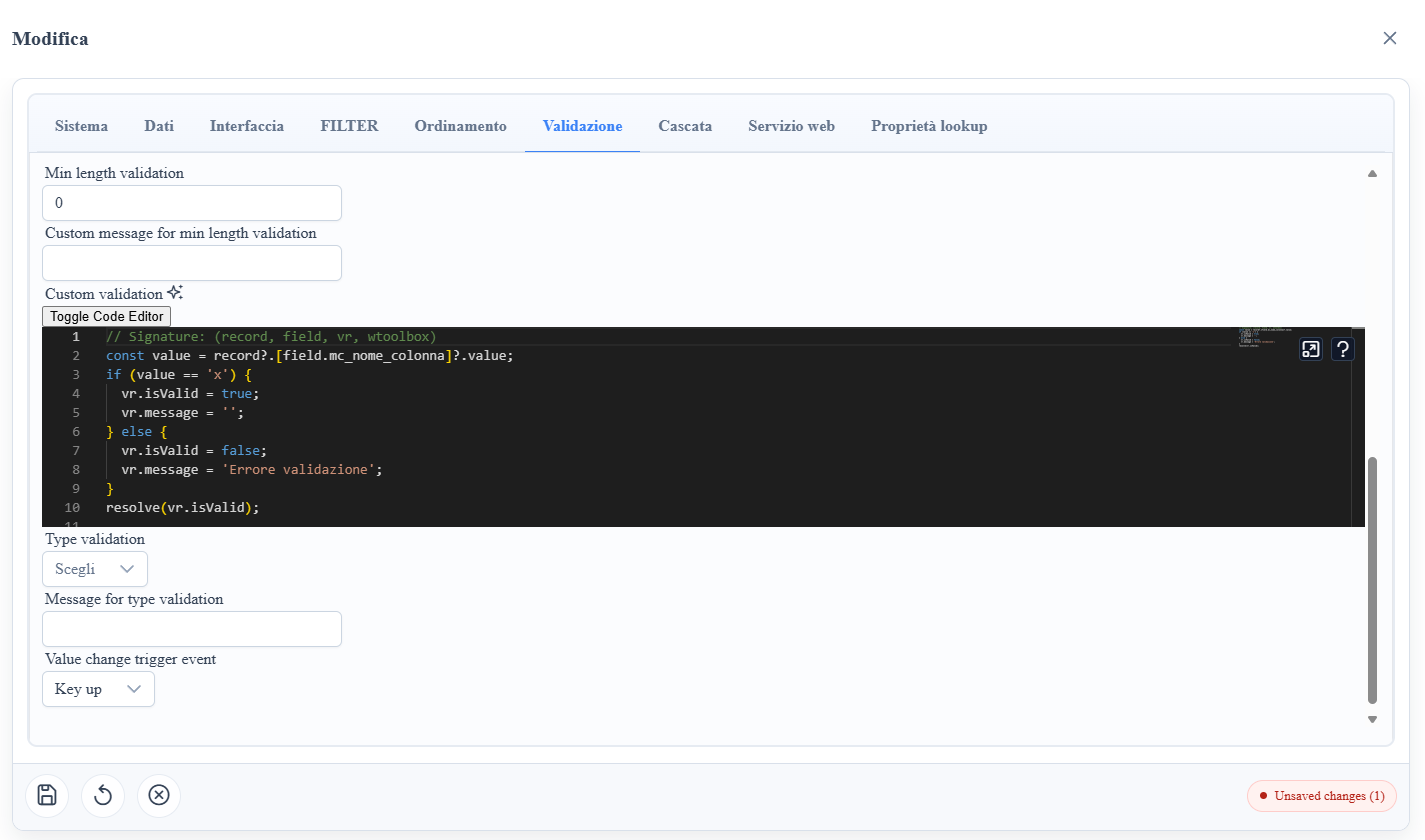
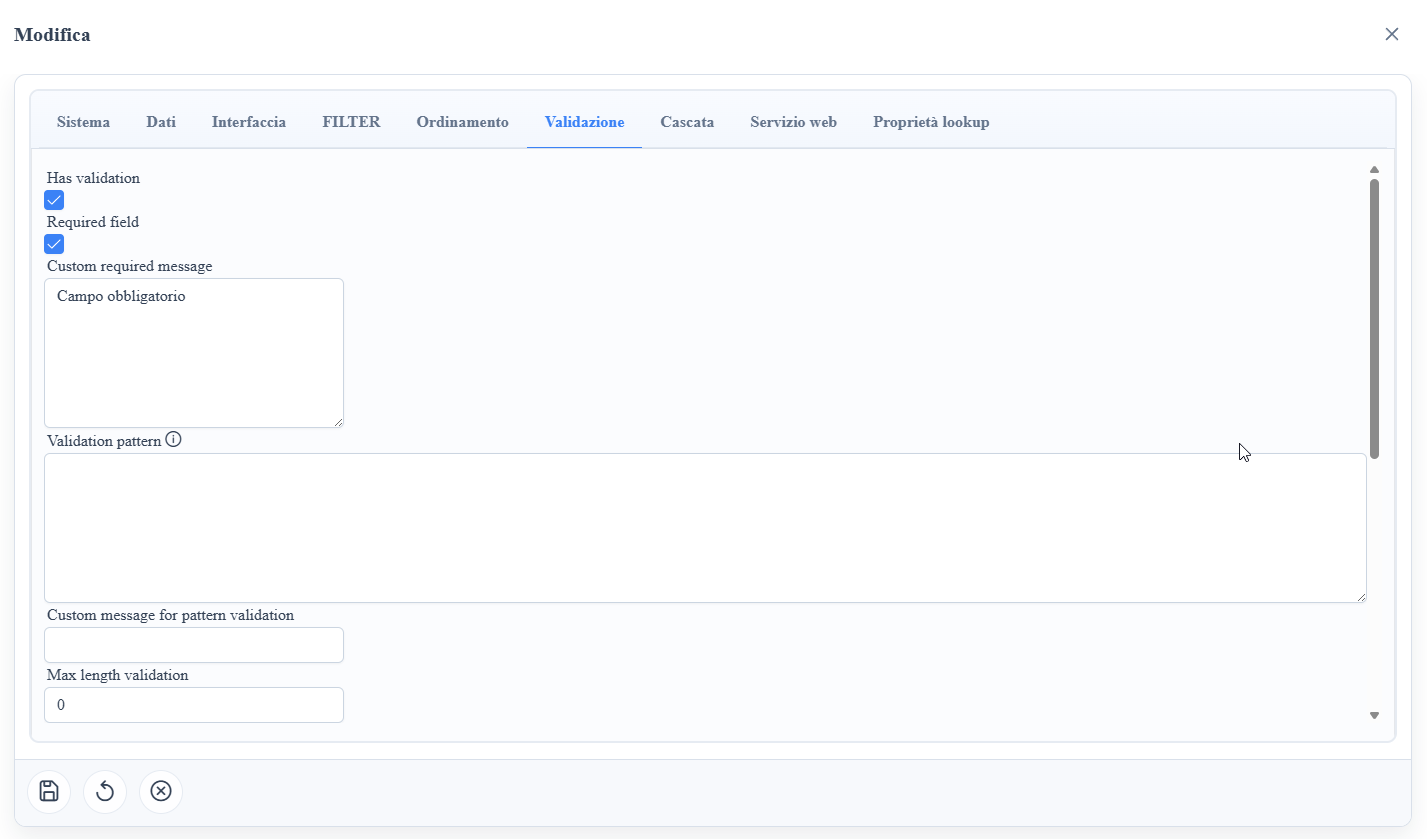
mc_validation_required: makes the field mandatory in edit/insert.mc_validation_required_message: custom message for required (tooltip/error near the field).mc_validation_pattern: validation regex (executed client-side on the field value).mc_validation_pattern_message: custom message when the pattern is not met.mc_validation_max_length: maximum allowed length.mc_validation_max_length_message: custom message for exceeding max length.mc_validation_min_length: minimum required length.mc_validation_min_length_message: custom message for min length not met.mc_validation_custom_callback: custom validation script (typical signature:record, field, vr, wtoolbox), used for business rules not expressible with standard constraints.mc_validation_type: typed validation; supported values:email,url,creditcard(Luhn check),number(a number, or text with an optional sign, digits and at most one decimal separator.or,; no thousands separators),date(a valid Date from the date editor, or an ISO dateyyyy-mm-ddwith optional time and time zone; the day must exist). Any other value makes the rule fail for every non-empty value and reports a metadata diagnostic. An empty field passes (mandatory is the job of the required rule).mc_validation_type_message: custom message for type validation error.mc_value_change_trigger_event: hook on value change, useful for triggering recalculations or dependent validations between fields.
Runtime Behavior
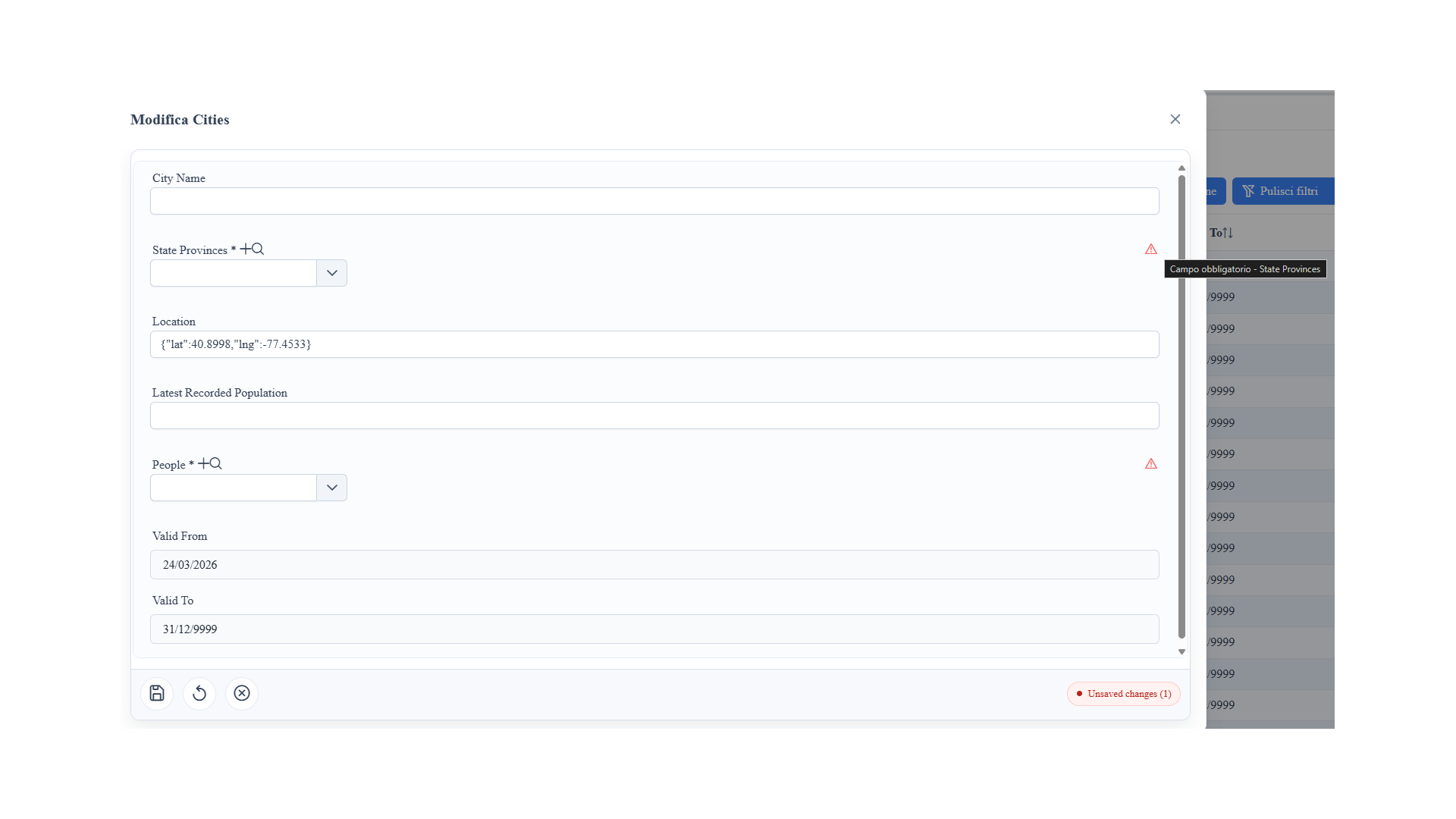
- In the form, required fields are marked with
*. - If the field does not pass the rules, an error indicator is shown with the message configured in the metadata.
- Rules are applied before saving, reducing unnecessary roundtrips to the server.
- Custom validations allow conditional logic based on the current record and UI context.
Operational Notes
- Use custom messages to make errors understandable for the end user.
- Avoid overly aggressive regex on lookup or auto-formatter fields.
- For complex cross-field rules, prefer
mc_validation_custom_callbackover long and hard-to-maintain patterns.
Screenshot