Every internal platform grows a workflow engine eventually. A ticket needs an approval. An invoice above a threshold needs a second signature. An onboarding needs three departments to sign off in parallel. You start with a status column and a couple of if statements, and eighteen months later you have a bespoke state machine smeared across controllers, cron jobs, and a folder of stored procedures nobody wants to touch.
We had that folder. This is the story of replacing it with a workflow engine built into WUIC — and the one design decision that made the whole thing maintainable: the visual graph is the single source of truth, and everything else is projected from it.
The trap of two sources of truth
The obvious way to build a workflow designer is to let people draw a graph, and then, on save, write the graph out into whatever your runtime already understands — rows in a transitions table, entries in a scheduler, permission records, action definitions. The designer becomes a fancy form over your existing runtime tables.
It works on day one. It rots by day ninety.
The problem is that now you have two representations of the same process: the graph the user drew, and the scattered runtime rows you generated from it. The moment anything edits those rows out-of-band — a migration, a hotfix, another feature that "just needs to flip this one flag" — the graph and the runtime disagree. Reopen the designer and it shows you a lie. Users stop trusting it. Then they stop using it, and you're back to editing rows by hand.
We decided early that the graph — the serialized node/edge/metadata JSON — would be the artifact. Not a form over the runtime. The runtime reads the graph.
What "projected from the graph" means in practice
A saved workflow is one JSON document: nodes (start, route steps, actions, conditions, N-way switches, timers, parallel split/join, end), the connections between them, and the operational metadata that hangs off each node and each edge. That document is the whole workflow. Load it, and you have everything. Even the branching logic lives there: a condition node carries its guard — a JavaScript expression over the current record — serialized right in the graph JSON, and a switch node carries its formula plus one test per outgoing branch.
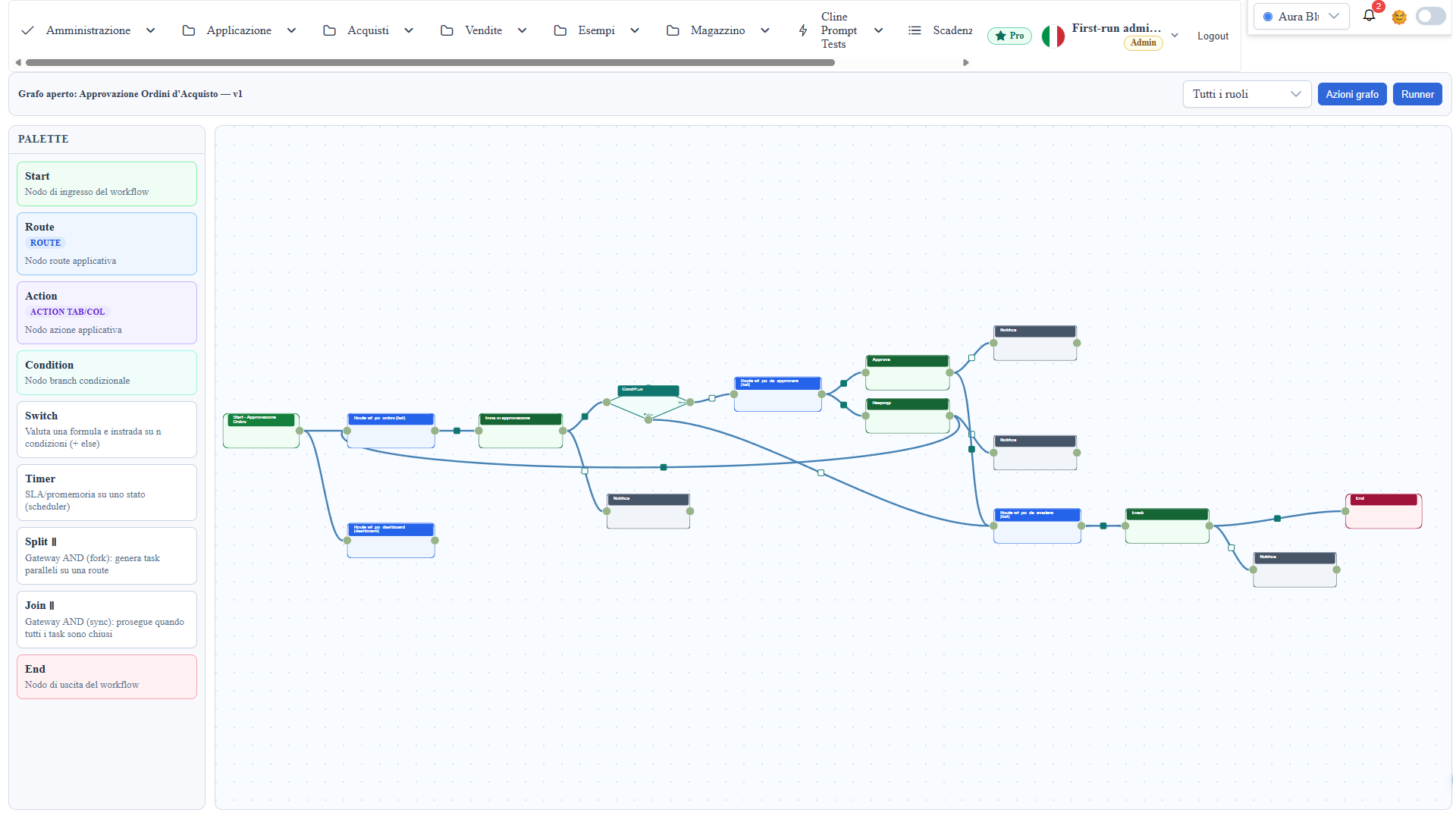
The runtime doesn't get a different representation. When the runner needs to know "what transitions are legal from this state, and who's allowed to take them", it reads them off the graph. A transition is metadata authored on a connection — an event, a guard (a JavaScript expression evaluated against the current record), and a permission (granting or denying specific roles). It lives on the edge. There is no separate transitions table that can drift.
Some things genuinely need to exist elsewhere to be useful. A timer node has to become a scheduler entry, or nothing fires. A state transition has to be queryable if you want reporting across thousands of instances. So on save we project those out — timers to the scheduler, transitions to a queryable table (one row per edge with source node, target node, event, guard expression, and required permission, rewritten as an idempotent delete-and-insert per graph) — but the projection is one-directional and regenerated from the graph every time. The graph is upstream. The projections are a cache. If a projection and the graph disagree, the graph wins, and re-saving heals it.
This one rule — upstream graph, downstream projections, never the reverse — is why reopening a workflow six months later shows you exactly what runs.
The runtime features are just node types
Once the graph is authoritative, adding runtime capability stops meaning "add a new subsystem" and starts meaning "add a node type the runner knows how to interpret". Over a few iterations that gave us:
- Instance timeline — every state change on a record is logged and shown as history, so you can see how any given record moved through the process.
- Timers / SLAs — a timer node on a state becomes a scheduler reminder or an escalation.
- Assignee resolution — the next owner is resolved from an org hierarchy or a field, with delegation.
- Parallel tasks — a split node materializes N tasks on a route; the join downstream only proceeds when all of them are closed. (This was the fun one. A parallel gateway is deceptively simple to draw and genuinely fiddly to make correct — the join has to gate on "are all the sibling tasks done", not "did a task finish".)
- Notifications — steps can send or queue email.
- Menu badges — the runner's menu entry can show a live counter, like "12 tickets in queue".
None of these are special-cased in the runner's core. They're node types with an interpreter each. The graph says what's there; the runner walks it.
The designer side mirrors this: the palette isn't hardcoded either. It's rendered from a node-type registry — label, description, accent color, shape — so adding a node type means one registry entry plus its interpreter, and every downstream surface (palette, tooltips, canvas rendering, lint) picks it up from the same place.
The part nobody talks about: authoring is the hard problem
Here's the uncomfortable truth about workflow engines. The engine is maybe 30% of the work. The other 70% is making it so that a human who is not the person who built the engine can author a correct process without a support call.
Our first internal version failed this completely. The configuration dialogs were free-text fields: type the column name, type the route, type the role IDs from memory. It worked beautifully for the two of us who wrote it and was unusable for everyone else. People typed stateprovinces as provinces, mistyped a role ID, left a condition empty, and discovered all of it at runtime, in production, when the workflow silently did nothing.
So the last big push wasn't on the engine at all. It was on assisted authoring:
Starter templates. "New from template" generates a wired-up graph for the patterns people actually build — simple approval, a claim/release queue, a threshold chain, parallel tasks. You pick the main route and, where it matters, the status field. The nodes, actions, and transitions come out already connected. Most real workflows are a small edit away from one of these.
Graph validation. A lint pass over the graph, on demand and again at save. Each finding has a stable code — WF-E01 is a start node with no menu and no outgoing edges (the runner would have no entry point), WF-W02 is a node unreachable from start, and so on through action-without-target, empty conditions, dead branches, half-configured timers and splits, permissions referencing roles that don't exist. Click a finding and the canvas frames the offending node. Crucially, it never blocks the save — the graph is incremental authoring metadata, and blocking saves teaches people to fear the button. With open issues, saving shows a "problems in the graph" summary with a "Save anyway". The lint informs; it doesn't police.
Guided configuration. The timer and parallel-task dialogs dropped the free-text fields for dropdowns and a route autocomplete — the same data source the rest of the designer already uses. You can't typo a route that you pick from a list.
Onboarding in place. An empty canvas shows a first-steps checklist. The palette has real tooltips. A "Quick guide" explains the shapes and the vocabulary — transition, guard, permission, internal action — because those words mean nothing until someone tells you what they mean.
The AI assistant edits the graph too. The same in-app chatbot that proposes metadata changes elsewhere in the framework can now propose workflow edits: "add a condition node after the cities route", "insert an action between the route and the end". The assistant emits a structured action, an Apply chip executes it on the canvas — every node type is covered, including inserting a node mid-edge with the connections rewired around it — and, because it goes through the designer's own authoring APIs, nothing is persisted until you save the graph. Proposed, reviewed, applied: same trust model as everywhere else.
Individually, none of these is clever. Together they're the difference between an engine two people can use and one a team can.
Versioning and the second author problem
Two things showed up as soon as real teams authored real processes: "what did this workflow look like before last Tuesday?", and two admins editing the same graph at once.
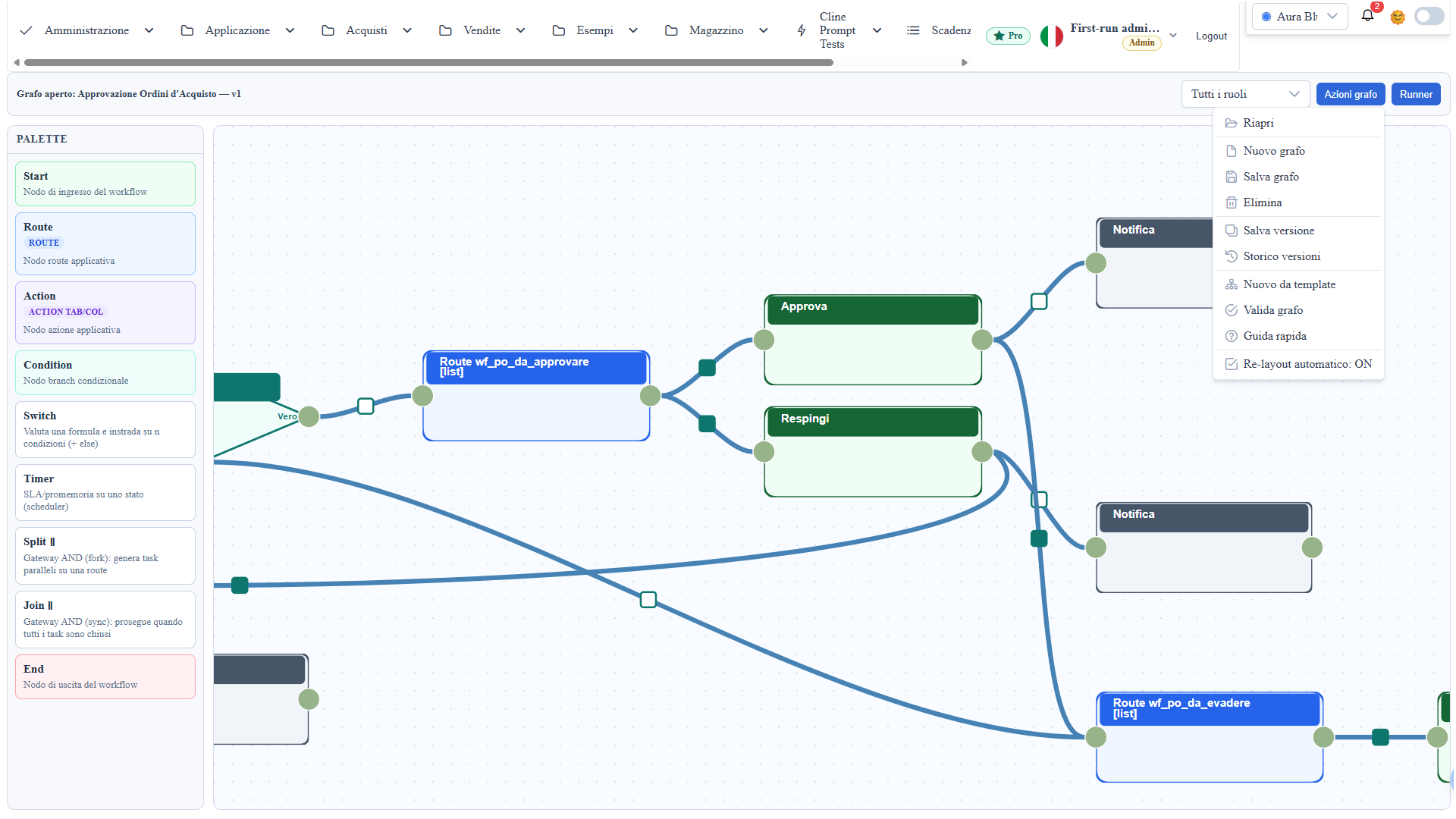
So the graph got a history. Save version appends a snapshot of the current canvas to a dedicated history table — with an append-only version number, who saved it, and when. The designer's title shows which version you're looking at. Rollback is deliberately unspectacular: pick a version from the history dialog and it's restored onto the canvas, but the working copy isn't overwritten until you hit save. Loading an old version is a preview; saving it is the decision.
Concurrent edits are handled with optimistic locking: the save can carry the version it started from, and if the stored graph has moved past it — someone else saved in between — the backend refuses with a conflict instead of silently overwriting their work. The same source-of-truth logic again: rather than merging two divergent runtimes, you resolve the conflict where the truth lives, on the graph.
Why build it in, instead of bolting on a BPM product
The honest alternative was to embed an existing BPM engine and call it done. We didn't, for the same reason the rest of WUIC exists: the workflow has to speak the same language as everything else in the app. A workflow step is a route the user already works records on. An action is a table or row action that already exists. A permission is the same role model that guards every other screen. Guards run against the same record objects the forms bind to.
An external engine would have meant a second permission model, a second data-access path, a second place to define what an "action" is — an integration seam that becomes its own maintenance burden. Keeping the workflow native means a workflow doesn't bolt onto the app; it's made of the app's own parts.
What we'd tell you if you're about to build one
Three things, learned the expensive way:
- Pick one source of truth and make everything else a regenerable projection. If you can edit the runtime rows directly and the designer can't tell, you've already lost. Make the graph upstream and heal projections on save.
- Budget more for authoring than for the engine. The state machine is a solved problem. Making it authorable by someone who didn't build it is where the real work — and the real value — is.
- Lint, don't block. Surface every problem you can find, frame it on the canvas, and then get out of the way. People build workflows incrementally; a save button that refuses is a save button people route around.
The engine that replaced our folder of stored procedures isn't more powerful than what was there before. It's the same logic, made visible, made authorable, versioned, and — because the graph is the one thing that's true — made trustworthy.
The workflow designer ships with every WUIC install and runs on the public demo — open it, start from a template, and draw an approval over a route you scaffolded thirty seconds earlier. If you'd rather not draw at all, ask the assistant to draw it for you.