FlottaMezzi is the third and final app in our free distribution lineup. It targets the problem space that mid-size logistics / construction / service companies handle in Excel until someone reaches their limit: tracking what vehicles the company owns, what's due on each of them, where they are right now if they're moving, and what each one is costing per month.
This post covers what's in the box, who tends to install this kind of thing, and the same licensing rule that applies to the other two free apps.
What ships in the free distribution
Download is FlottaMezzi-iis-v1.7.0-with-dbs.zip on the Downloads page. Inside:
Registry & ownership
- Vehicles (mezzi) — plate, chassis number, make/model, year, fuel type, current odometer, vehicle type and status (both lookup-driven, so you can add your own classes), assigned driver, and last known GPS position
- Drivers (conducenti) — personal data, license number, license category, license expiry date, contacts
- Maintenance (manutenzioni) — date, odometer at service, type, cost, workshop, invoice reference
- Refuelings (rifornimenti) — litres, total cost, price per litre, odometer reading; a DB trigger propagates the odometer reading back to the vehicle, so
km_attualistays current without a separate data-entry step - Insurance contracts (contratti assicurativi) — company, policy number, start/expiry, annual cost, coverage type
- Inspections (revisioni) — date, outcome, next due date, inspection centre, cost
- Incidents (sinistri) — date, driver, counterparty, estimated cost, claim status; a trigger flips the vehicle status when an incident comes in
Every one of these is a metadata-driven WUIC route, so each list ships with search, filters, Excel export and an edit dialog for free — and adding a column to the SQL table makes it appear in the UI.
Deadline tracking
The piece that triggers an ROI conversation: driver license expiry, insurance expiry and inspection due dates all live in the data model, and a scheduled job (flottamezzi_check_scadenze, a row in the framework's scheduler table, daily at 07:00) scans for anything expiring in the next 30 days — plus anything already expired — and reports the counts. The home dashboard has a deadline aging widget built on the same data, so "what's about to bite us" is the first thing a fleet manager sees.
Out of the box the job produces the scan summary and the dashboard does the surfacing; wiring the scan result to outbound email or the in-app notification bell is a documented extension point (the scheduler row already carries an exception-notification address).
Geolocation
POST /api/Geolocation/UpdatePosition accepts position updates from anything that can authenticate and POST a JSON payload:
{ "mezzo_id": 42, "latitudine": 45.4642, "longitudine": 9.1900 }
The endpoint requires an authenticated session with the admin, gestore_flotta or autista role — so a driver's phone, a scripted tracker bridge, or a back-office import can all feed it, but a random unauthenticated device can't. It updates the vehicle's last known position, and a mezzi_posizioni history table (timestamp, coordinates, speed) accumulates the trail, with a per-day route view used by the map for route playback.
The UI is the framework's map archetype — Google Maps with marker clustering, custom marker colouring per vehicle, and polyline rendering for routes. You supply your own key in appsettings.json under GoogleMaps:ApiKey.
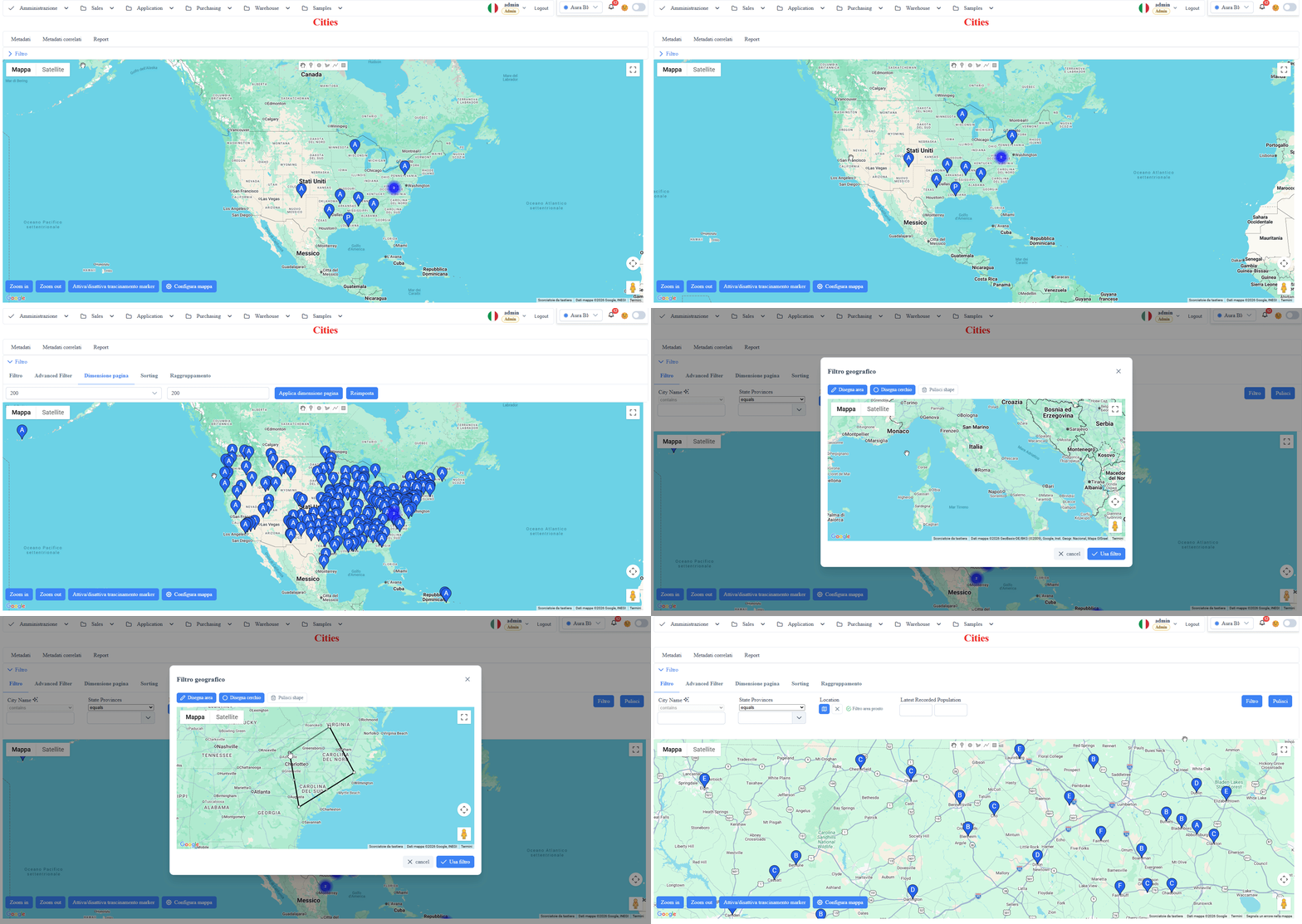
We do NOT ship a hardware integration in the free distribution — you bring your own device or bridge that POSTs to the endpoint. If you don't have a tracker yet, a curl loop with a logged-in session is enough to see the map move.
Cost roll-ups
Costs flow in from three sources — maintenance, fuel, incidents — and roll up in three places:
ReportCostiMezzo— per-vehicle cost report over a selectable year range, broken down by maintenance / fuel / claims, sorted by total (the "which vehicle is bleeding us" view)- Monthly cost view (
vw_costi_per_mese) — feeding the dashboard's monthly trend and cost forecast widgets - Top vehicles dashboard — the most expensive vehicles at a glance
A second scheduled job (flottamezzi_aggrega_costi, daily at 02:00) keeps the aggregates fresh.
Dashboard
The home dashboard ships with:
- Deadline aging (what expires in the next 30 days, what's already expired)
- Monthly cost trend + forecast
- Top vehicles by cost
- Live map with current positions
Who installs this kind of app
It pays off if:
- You have 15+ vehicles or plated equipment — below that threshold, Excel plus a shared calendar covers it
- You run multiple sites or mobile crews — knowing where every vehicle is in real time kills the "who took the van and where did they leave it?" phone calls
- You operate in a regulated sector (heavy goods transport, waste) where document deadlines get audited
- You want to stop paying per-vehicle-per-month to a vertical SaaS — at 50 vehicles even a few euros per vehicle per month adds up to thousands per year, and this app runs free on a server you already have
It does NOT pay off if:
- You have 5 vehicles or fewer
- You want white-glove SaaS with zero infrastructure to manage — in that case buy a cloud service
- You need native fuel-card integrations (DKV, Eni, UTA) with automatic transaction import — the free app tracks refuelings as records you enter or feed via the API; native card integrations are the kind of extension that lives on the commercial side
Install
Same flow as the other free apps:
- Download
FlottaMezzi-iis-v1.7.0-with-dbs.zipfrom Downloads - Unzip into
C:\inetpub\wwwroot\Flotta - Restore the two
.bakfiles shipped in thedb\folder (data.bak+metadata.bak) — SQL Server 2017 or later, Express is enough; the bundledINSTALL.mdhas the exactRESTORE DATABASEstatements - Edit
appsettings.jsonfor the two connection strings, plus yourGoogleMaps:ApiKeyfor the map - IIS site, app pool set to No Managed Code, browse, log in as
admin_test / Test123!
For the geolocation feed: authenticate (any user with the autista or gestore_flotta role), then POST to /api/Geolocation/UpdatePosition with the session cookie. No tracker hardware yet? Simulate with curl and a loop to test the map.
License rule
Identical to the other two free apps:
FlottaMezzi is free as-shipped. If you rebuild the app from source you need a WUIC license.
The free ZIP gives you the ready-to-run binary (FlottaMezzi.dll) with the embedded host-binding .lic that authorizes the framework runtime. The source ZIP gives you the app's C# — but recompiling it locally produces a binary with a different identity (different strong-name PKT, no embedded WUIC.HostBindingLicense resource — we don't ship the .snk or the RSA private key that signs the .lic), so the framework stops recognizing the host as authorized and falls back to the standard fingerprint check.
You can extend FlottaMezzi without recompiling the binary: add metadata via SQL, add custom Angular components, add Stimulsoft reports, add scheduled jobs in the scheduler table, change the Maps key or connection strings in appsettings.json. Adding a new controller (say, to integrate DKV fuel-card imports) means changing the app's C# and recompiling FlottaMezzi.dll, so that crosses the license line.
Get it
- Download: Downloads → Free apps → FlottaMezzi — current release is v1.7.0
- Try WUIC first: the framework underneath has a live sandbox at demo.wuic-framework.com
- Need fuel-card integrations or white-label trackers? See Pricing — the Developer tier unlocks the framework source and the right to ship recompiled FlottaMezzi binaries inside your products